This is the procedure for modifying the registration details of an administrator account.
You can change the administrator account information in the “User Information”.
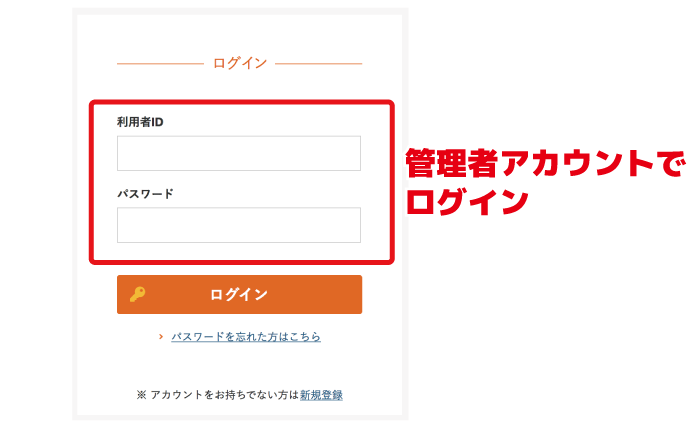
Log in with the administrator account
Please log in to VM-Cloud using the administrator account.
If only one account is registered, that account automatically becomes an administrator.
Check registered users
Click the “User Information” tab at the top of the member management screen to display the list of registered users.
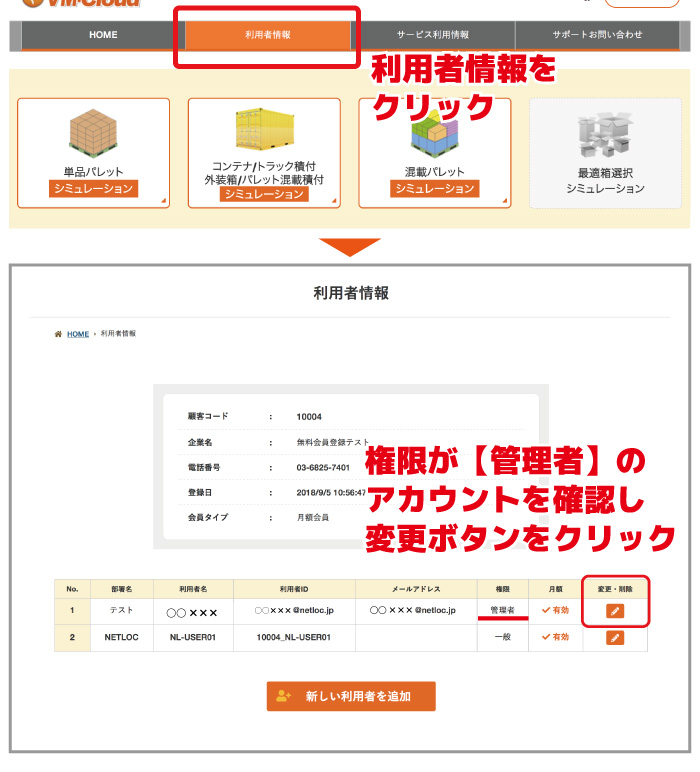
From the list, locate the account with the permission set to “Administrator” and click the “Change/Delete” button on the right-hand side.
Change administrator information
Please click the “Change Admin” button on the “Edit user information” screen.
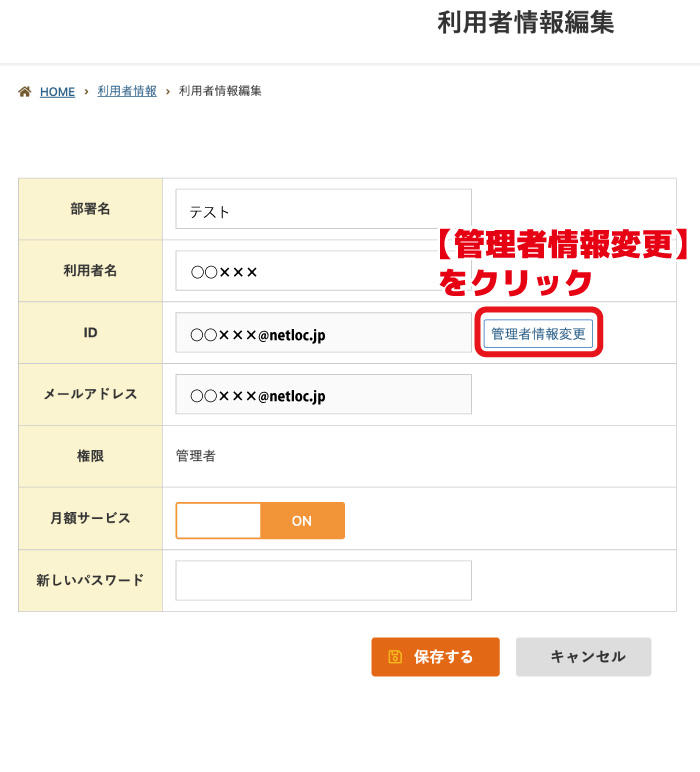
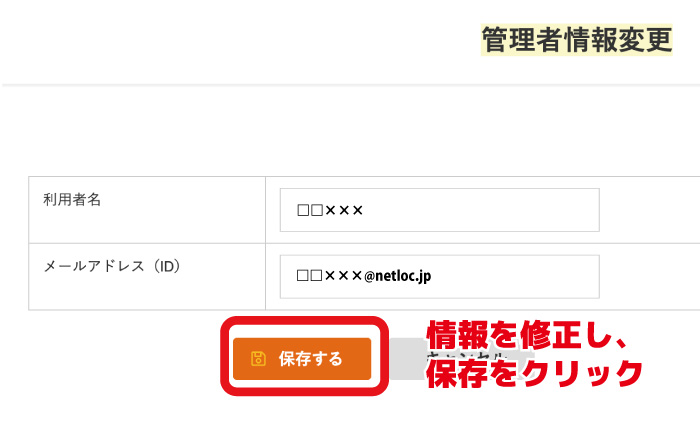
You can change the “User Name” and “Email Address(ID)”.
After making the necessary changes, click the “Save” button.
Password reset
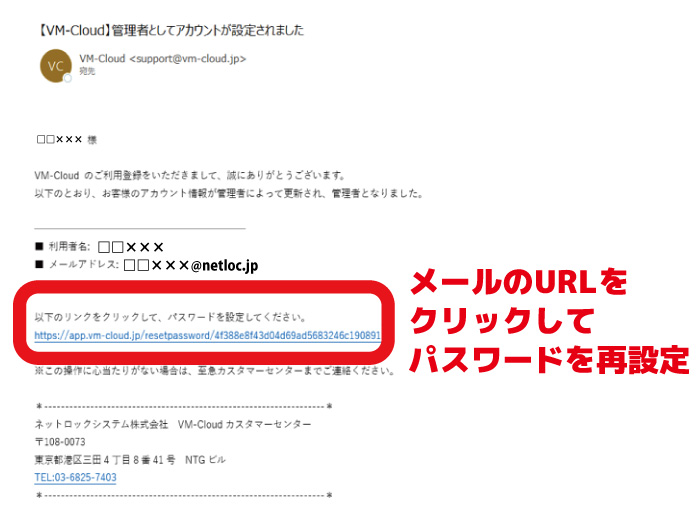
A password reset email will be automatically sent to the new email address.
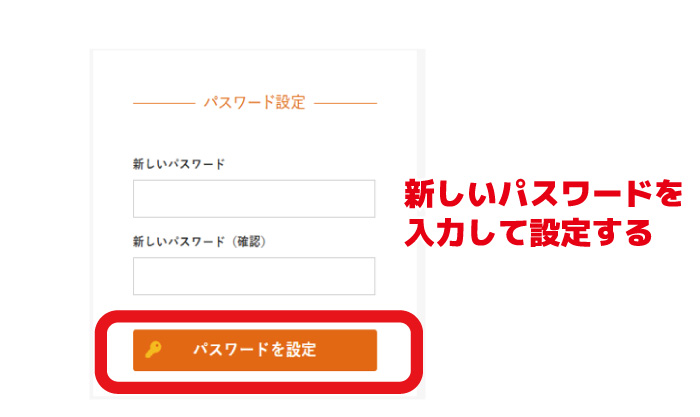
Click the URL in the email and set a new password.
Once the setup is complete, please verify that you can log in using your new password.
That completes the setup.
For your peace of mind, please try logging in once with your new ID.