On the transLoad screen, you can view and manage details for each container.
From here, you can select any container and switch to a dedicated screen for manual loading operations.
目次
Open the Transload screen
Display the screen for performing transload operations.
Select the container you want to move
Click the white area within the screen (container area) to select it; the container frame will turn blue.
Click the “Manual Loading” button in the upper-right corner of the screen.
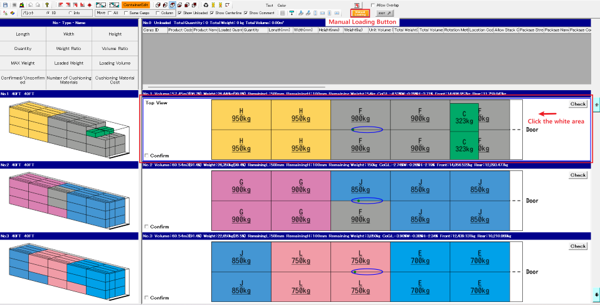
Switch to manual loading screen
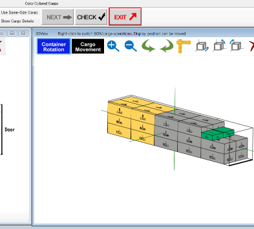
The screen will switch to the manual loading screen for the selected container.
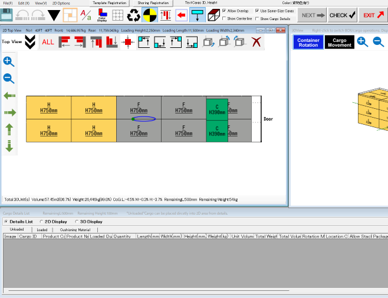
Click the “EXIT” button to return to the transload screen.
Clicking the “EXIT” button in the upper right corner of the manual loading screen will return you to the transload screen.